Journals
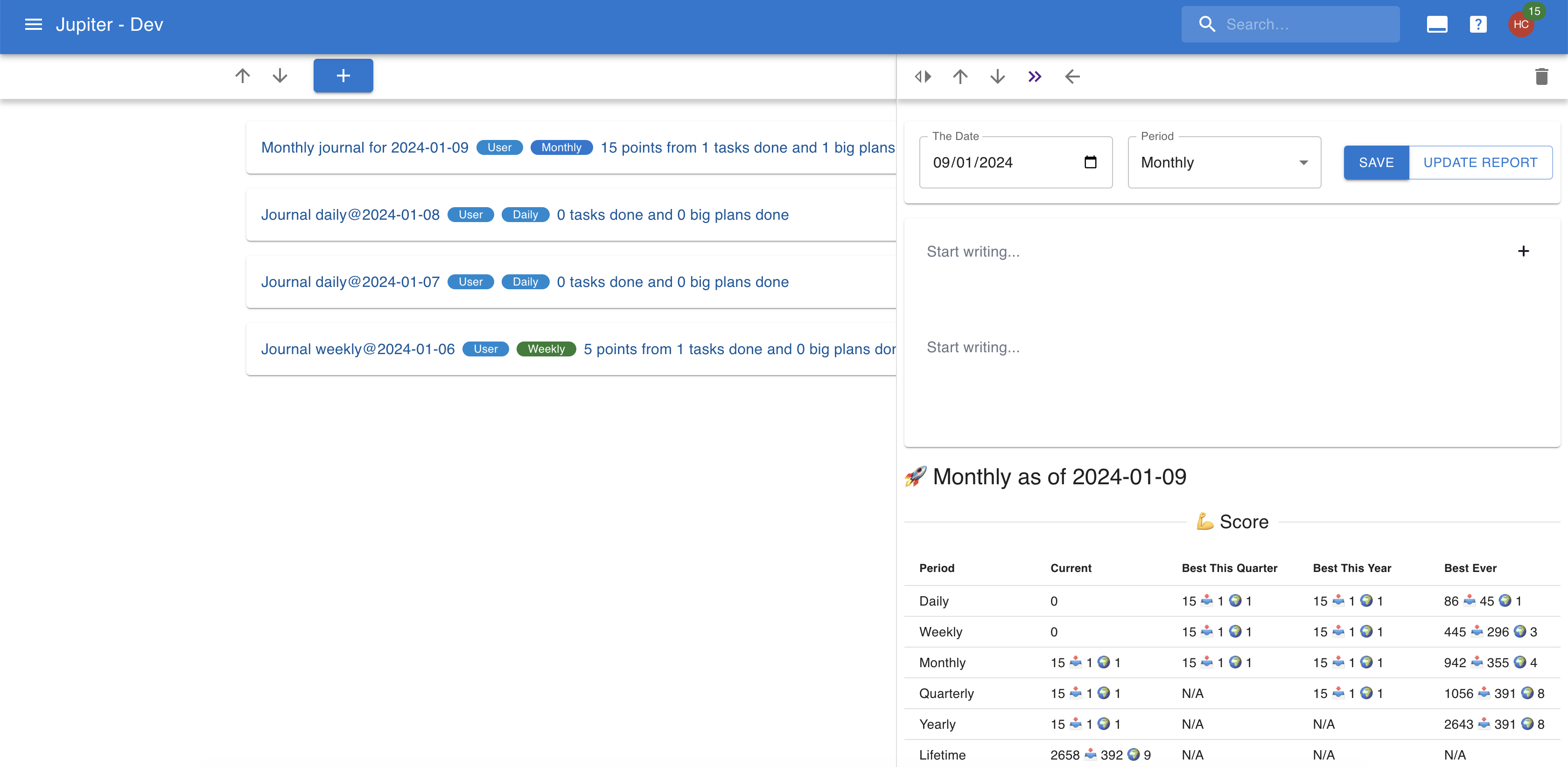
A journal is a brief recounting of how a particular day, week, month, or other time period went.Journals live in the "journals" view.
Auto-Generation
Journals can be configured to be generated automatically, via thetask gen mechanism. The mechanism is simple: a fewdays in advance of the time period a journal would target, a new journal isgenerated, with an optional journaling inbox task attached to it.
There are a number of settings you can control:
- The periods you are using for journaling. A typical scenario would be daily and weekly journals.
- Whether to generate journals and journaling tasks, just journals, or nothing at all.
- The eisenhower, difficulty, and aspect to use for generating tasks.
Note that journals are always for a given period. The tasks associated withthem have a due date set to the end of the planning period, as you shouldfinish your journaling before the period end.
Also note that if there's a journal you created targeting that sameperiod and date combination, a new one won't be generated.
Properties
Journals are written on a particular day for a particular period interval. The period can be one of:
- Daily: the day's journal
- Weekly: the week's journal, as recorded on the particular day.
- Monthly: the month's journal, as recorded on the particular day.
- Quarterly: the quarter's journal, as recorded on the particular day.
- Yearly: a whole year's journal, as recorded on the particular day.
Only one journal can exist for a particular day. Furthermore, asingle journal can exist for a particular period in time (so youbetter write the journal of that period towards the end of it).
Journals are mainly a written artifact, so they're essentially one big document.But they do have a recording ot the work activitythat happened during that period (scores achieved, tasks done, etc),much like in the report functionality.
Standard Questions
Journaling goes easier when you don't have to invent the prompts every time. You can set up a list of standard questions - "What went well this week?", "What did I learn?", and so on - and Thrive will use them to lay out the document of each new journal.
Questions live in the "questions" view of the journals app. Each one has:
- A name, which is the question itself, as it'll show up in the journal.
- A period, which decides which journals it applies to. A weekly question appears in weekly journals only.
Questions are grouped by period, and within a period they have an order you control with the up and down arrows next to each one. That's the order they appear in the journal.
The name of a question can be changed at any time. The period can't - make a question for the other period instead.
How Questions Reach A Journal
When a journal is created, the questions for its period are used to build the journal's note. Each question becomes a heading, with an empty paragraph under it for you to write in.
When you create a journal yourself, the new journal form lists the questions for the period you picked, with all of them selected. Unselect the ones you don't need this time around, or unselect all of them to start from an empty document. Switching the period swaps the list for that period's questions.
Journals created by the task gen mechanism get all the questions of their period.
The questions are copied into the journal's document at the moment the journal is created. Editing, reordering, archiving, or removing a question afterwards leaves the journals you already have alone - it only affects the ones created from that point on.
Archiving a question keeps it around, but drops it from the ordering and from new journals. Removing it gets rid of it for good. The general rules are in archival and removal.
Aspects And Goals In The Document
Journaling against your life plan is easier when the document already has a place for each area of life and each goal. A journal can pull in the aspects and goals of the life plan, and give each one a heading with an empty paragraph under it, right after the standard questions.
The document follows the life plan tree. Each aspect
gets a heading, then the goals that belong to it, then
nested aspects and goals the same way. Headings look like ⭐ Health,
🎯 Health / Run a marathon, and ⭐ Health / Sleep for a nested aspect.
Two switches control this:
- Include aspects of the life plan.
- Include goals of the life plan.
They live in the journals settings view, where they decide what journals created by the task gen mechanism get. They also decide how the switches on the new journal form start out - flip them there to change your mind for one journal without changing the setting.
Like the questions, the aspects and goals are copied into the journal's document at the moment the journal is created. Changing the life plan afterwards leaves the journals you already have alone.
The switches only show up when the life plan feature is enabled for the workspace.